For Android
Your whole
day.
One app.
Five tools and an assistant — all on your phone.
Fully offline · No account · No ads


dailyAxis
01 / 08Made to be yours
Tasks, routines, budget, journal, and calendar — five tools in one quiet, fast app. No account to create, nothing to subscribe to, no internet required. Yours from the first tap.
Home
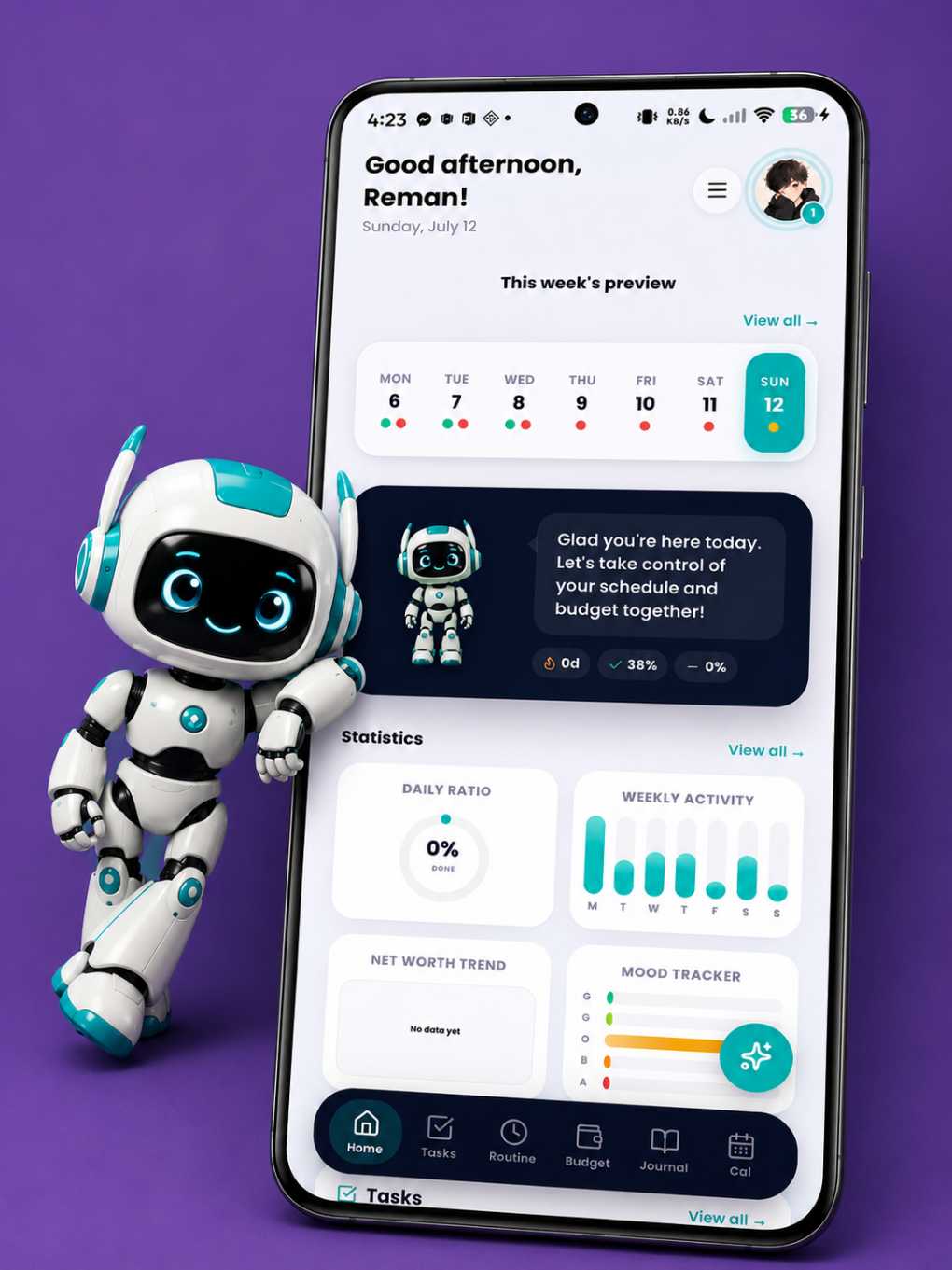
02 / 08Your day at a glance
The home screen opens on your week strip, streaks, task progress, and net-worth trend — with Axion waving hello. What matters today is visible before you even scroll.
Axion AI
03 / 08Meet Axion
Say "create three tasks for Monday" or ask how this month's spending compares to last — it just happens, parsed entirely on your device, with a confirmation before anything changes.
Tasks
04 / 08Capture it, then forget it
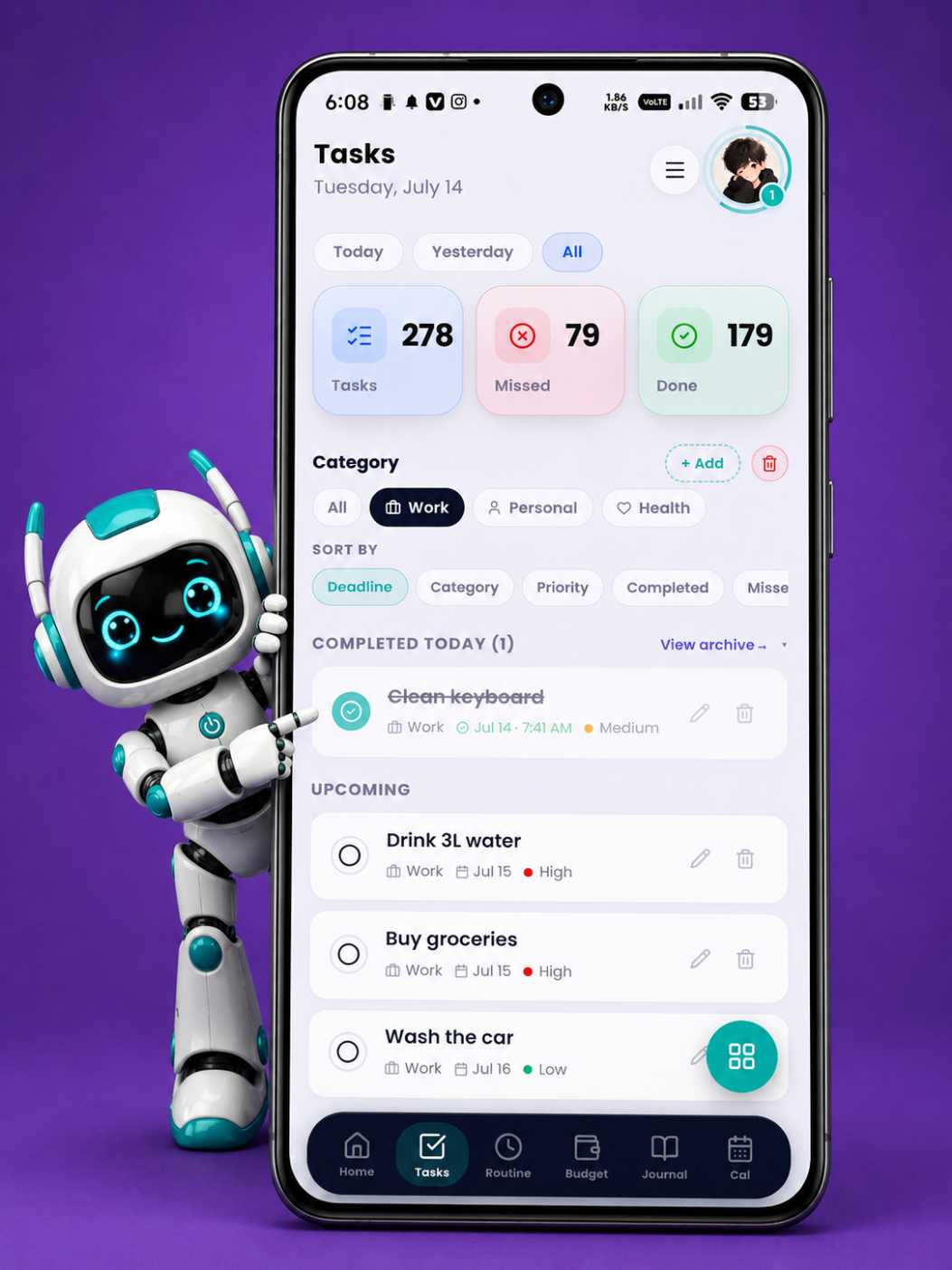
Deadlines, priorities, and categories that organize themselves around your day — while archives and daily stats quietly keep score in the background.
Routine
05 / 08Habits that hold
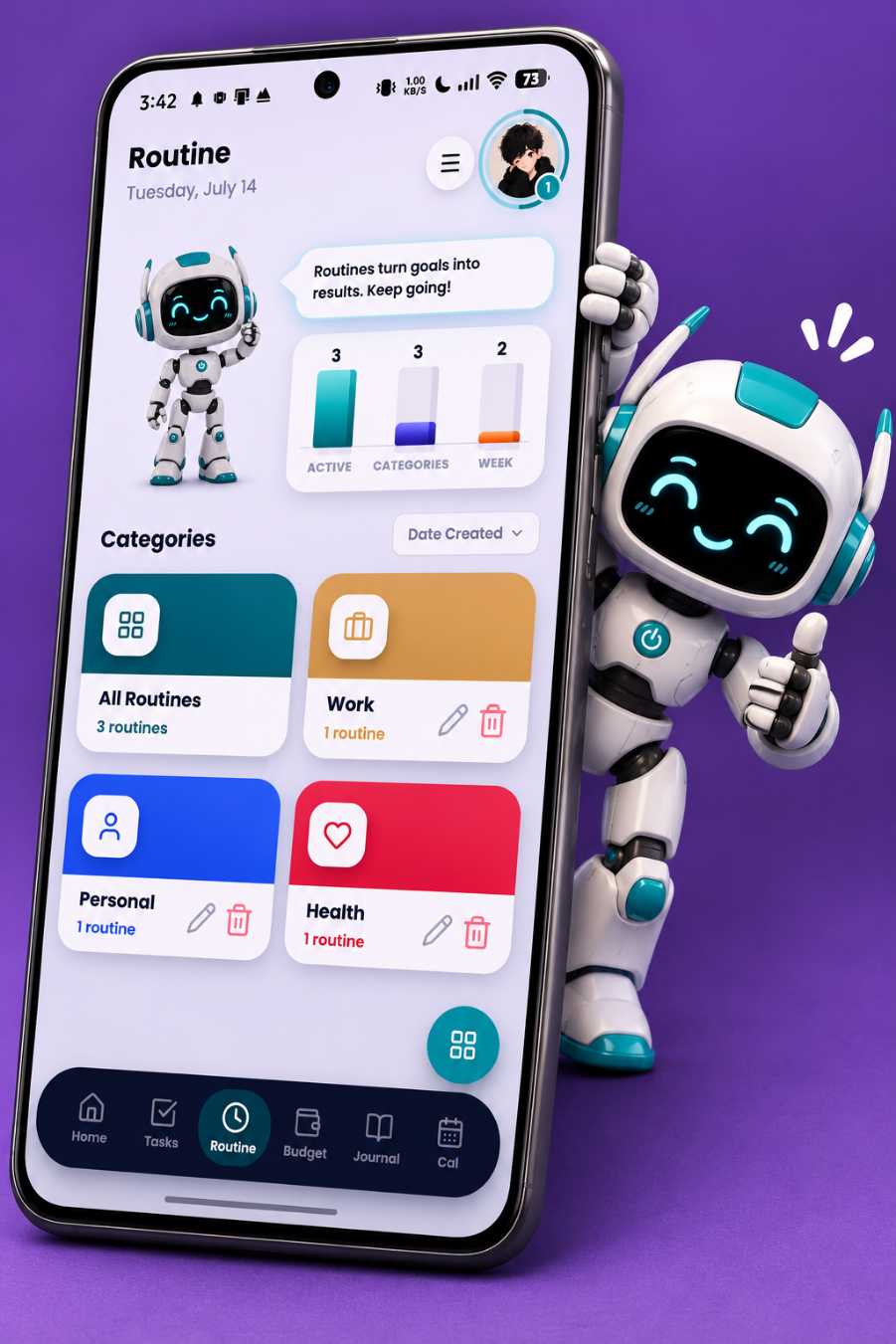
Schedules for every day or specific weekdays, streaks that reward showing up, and real alarms — with snooze — that make sure you actually do.
Budget
06 / 08Every peso, accounted for
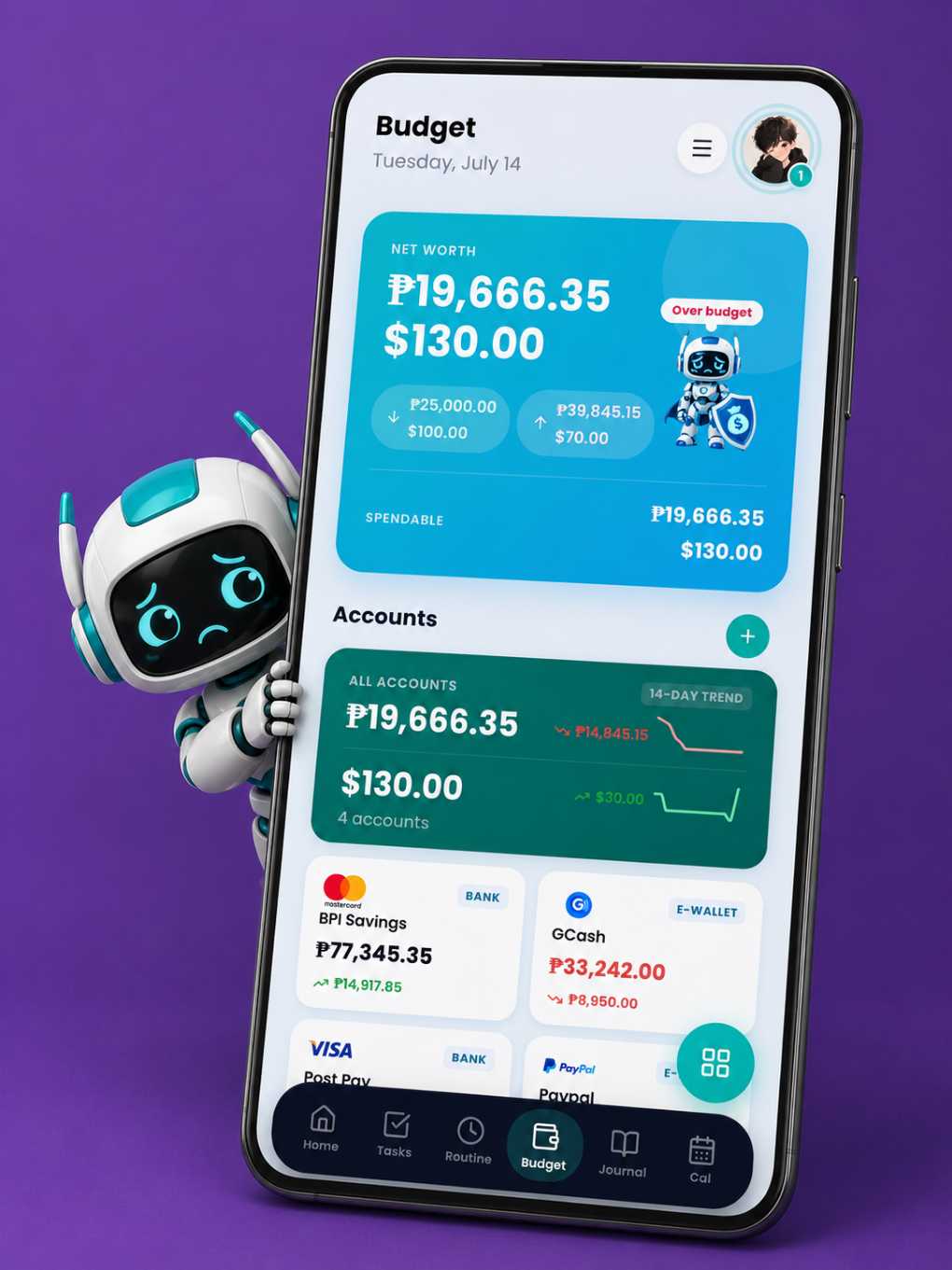
Cash, banks, e-wallets, cards, and loans in one net worth — with receipt scanning, savings goals, and budget plans. Tracked on your phone, not on someone's server.
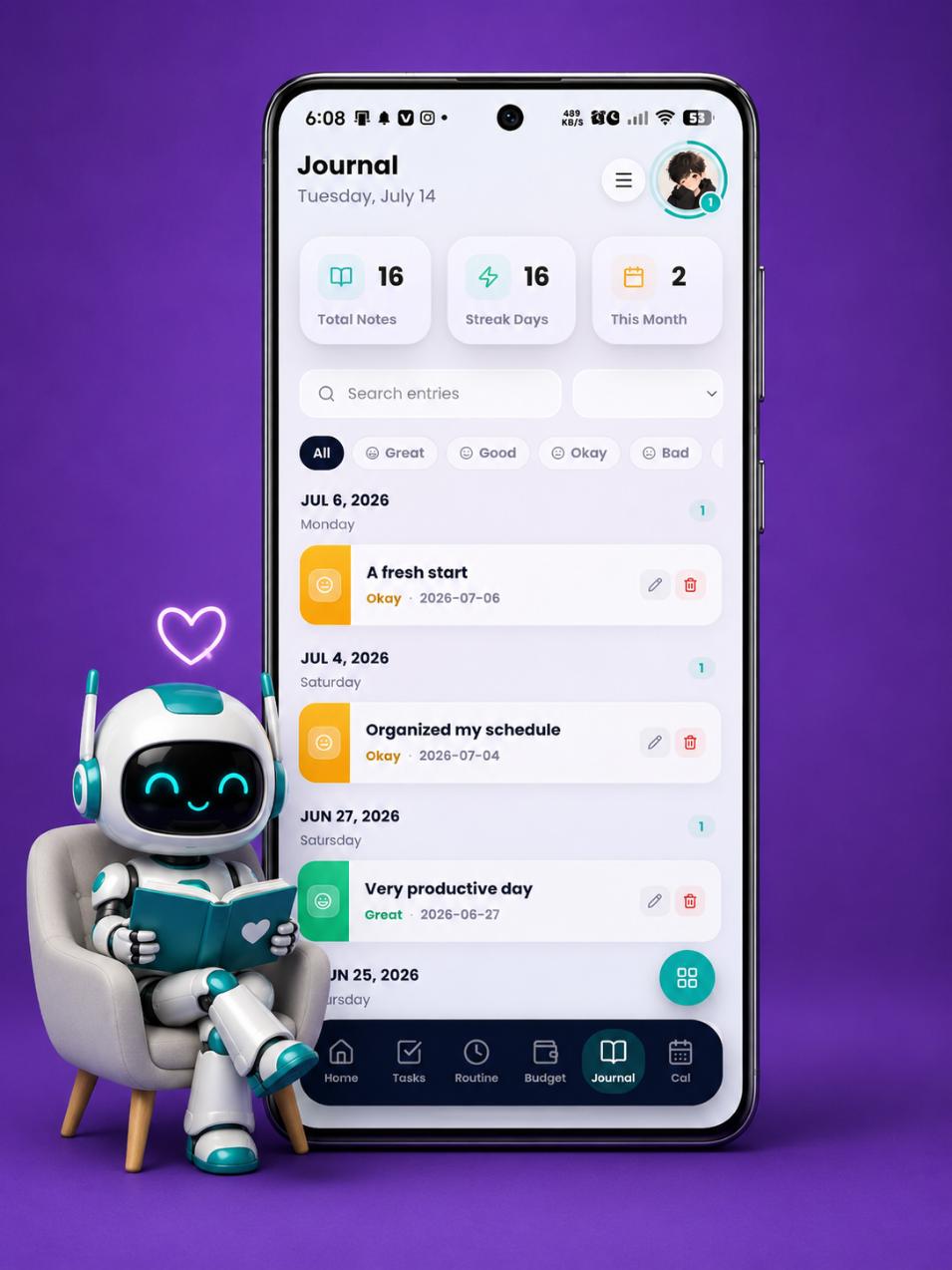
Journal
07 / 08A page that's only yours
Moods, photos, and the day in your own words — searchable forever, readable by no one but you. There is no server for it to leak from.
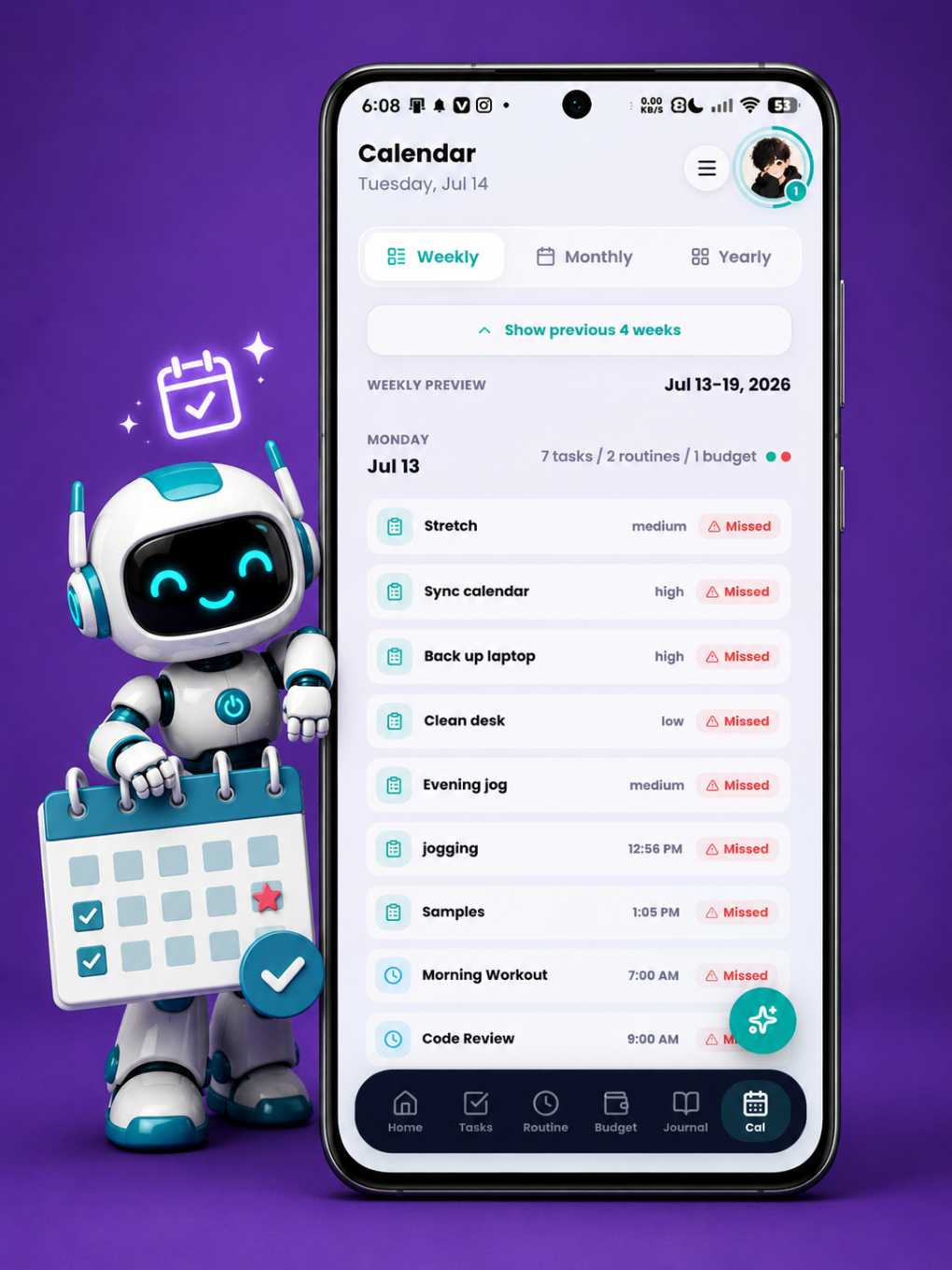
Calendar
08 / 08The week, whole
Weekly previews, a monthly grid, and a yearly heatmap — every day color-coded by what got done, what's coming, and what slipped.
offline
ads or trackers
tools in one
on Android
Inside the app
Five tools and an assistant.
Zero app-switching.
Tasks
Capture it, then forget it.
Add a task in seconds — a title is enough, but priorities, categories, exact-time deadlines, and reminder alarms are one tap away. The list stays honest on its own: done, due, and missed are tracked for you, and finished work tidies itself into archives.
- Priorities, categories, and exact-time deadlines
- Reminders as a quiet notification — or a real alarm
- Done and missed tracked automatically, with daily progress stats
- Sort by deadline, priority, or category
- Completed and missed archives, with one-tap bulk cleanup
- Every finished task earns XP toward your level
Routine
Habits that hold.
Build the repeatable parts of your day once — every day or specific weekdays, with start and end times — then just show up. Streaks reward the showing up, and the native alarm engine makes sure a silent notification never turns into a silently skipped morning.
- Everyday or per-weekday schedules with start and end times
- Streaks that grow daily — and reset honestly when you skip
- Real native alarms with snooze, not just notifications
- Categories that group morning, work, and health routines
- Ask Axion why a routine did or didn't fire
Budget
Every peso, accounted for.
A real personal-finance tool, not a toy tracker: cash, banks, e-wallets, credit cards, and loans in one net-worth view, across multiple currencies. Log spending by hand or from a template — or point the camera at a receipt and let offline OCR do the typing.
- Every account type — cash, bank, e-wallet, credit card, loan
- Income, expenses, transfers, tags, and reusable templates
- Savings goals, monthly budget plans, and recurring bills
- Installment plans, loan schedules, and card statements
- Offline receipt scanning that reads six receipt formats
- Net worth, spendable balance, forecasts, and Privacy Mode blur
Journal
A page that's only yours.
End the day in your own words. Attach a mood and a photo, find any entry again with search — and watch your mood and writing habits take shape over the weeks. It lives in a local database on your phone; there is no server for it to leak from.
- Moods and photo attachments on every entry
- Search and filters across your whole history
- Mood and word-count trends in Statistics
- Private by architecture, not by promise
- Journaling earns XP too
Calendar
The week, whole.
One grid where the whole system meets. Glance at the week, scan the month, or read the entire year as a heatmap of how you actually lived it — with every day color-coded by what got done.
- Weekly previews, monthly grid, and a yearly heatmap
- Status colors at a glance: done, upcoming, missed
- Tap any day for its full story — tasks and routines together
- A week strip on the home screen, so you rarely need to leave it
Axion AI
Meet Axion.
Talk to your app like a person. Axion understands plain language — dates included — and does the tapping for you: tasks, routines, transactions, goals, even several at once in a single message. All of it parsed on your device, no cloud in the loop.
- "Create three tasks for Monday" — bulk actions in one message
- Log income, expenses, and goal contributions in plain words
- Ask for your balance, streaks, spending, or a progress report
- Compare this month to last, or forecast your balance
- Always confirms before deleting or changing anything
- Works in airplane mode, like everything else here
Why dailyAxis
Quietly different, on purpose.
-
01
Offline-first
Everything runs on your device. Airplane mode is just another Tuesday.
-
02
No ads, no tracking
You are the customer, not the product. Nothing about your day is for sale.
-
03
Five tools, one place
Tasks, routines, budget, journal, and calendar — without switching apps.
-
04
Axion, built in
An assistant that works where your data lives: on your phone, offline.
-
05
Backup on your terms
Your data leaves your phone only when you say so — and it's one tap to bring back.
-
06
A little bit of a game
Tasks, routines, and journal entries earn XP. Levels climb, your avatar's ring fills — finishing what you planned quietly becomes a habit of its own.
Privacy
Your data never leaves your phone.
Unless you say so.
dailyAxis keeps everything in a local database on your device. No account to create, no sync servers, no analytics — and a backup file you control, for the day you switch phones.
FAQ
Questions, answered.
Does dailyAxis need an internet connection?
No. Every feature — tasks, routines, budget, journal, calendar, and Axion — runs entirely on your device. Airplane mode changes nothing.
Is it really free?
Yes. No subscription, no ads, no locked features. dailyAxis is free on Android.
What happens to my data if I lose my phone?
You can export a backup file anytime and restore it on a new device in one tap. Optional account-linked cloud backup is on the way.
How is my privacy protected?
By design: there is no account, no analytics, and no server storing your life. Your data sits in a local database on your phone and leaves only if you export it.
Is there an iOS version?
Not yet — dailyAxis is Android-first. If enough people ask, that can change.